
Tips for Setting Healthy Boundaries with Notifications
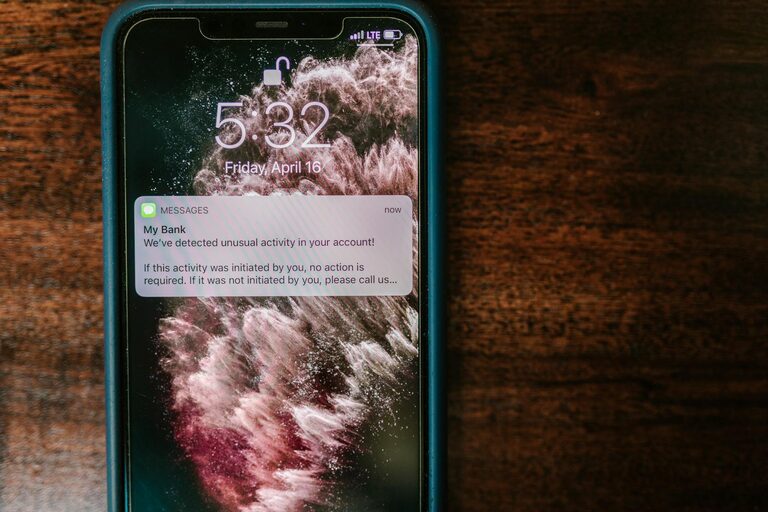
In our connected world, notifications are everywhere — from emails and social media alerts to calendar reminders and news updates. While they can be useful for staying informed, an overload of notifications can easily become distracting and stressful. Setting healthy boundaries with your notifications is essential for protecting your focus, reducing stress, and regaining control of your time.
In this post, we’ll explore practical tips for managing notifications more effectively and creating boundaries that work for your lifestyle.
Why Set Boundaries with Notifications?
Before diving into the how, it’s important to understand the why. Constant notifications can:
– Disrupt focus and productivity
– Increase stress and anxiety
– Interrupt quality time with family and friends
– Affect sleep and relaxation
By setting clear boundaries, you can reclaim your attention and enjoy your digital devices on your terms.
Assess Your Current Notification Habits
Start by taking stock of the notifications you receive daily.
– Which apps send you the most alerts?
– Are all notifications equally important?
– Do you find yourself checking your phone frequently because of notifications?
– When and where do notifications interrupt you the most?
Understanding your current habits helps identify where changes will have the biggest impact.
Tips for Setting Notification Boundaries
1. Customize Notification Settings App by App
Most smartphones and computers let you customize notifications for each app. Consider:
– Turning off non-essential notifications entirely
– Allowing only critical alerts (e.g., messages from close contacts)
– Switching some notifications from sounds to silent or banners only
This selective approach reduces unnecessary interruptions.
2. Use Do Not Disturb and Focus Modes
Both Android and iOS offer “Do Not Disturb” or “Focus” modes that silence notifications during specific times or activities.
– Schedule these modes during work hours, meetings, or relaxation
– Allow notifications only from important contacts or apps during Do Not Disturb
– Use automated triggers based on location or calendar events for convenience
This creates intentional “quiet zones” where you can concentrate.
3. Set Specific Times to Check Notifications
Instead of responding immediately, designate specific times to review notifications, such as:
– Once every hour during work
– After finishing a task or project
– During breaks or after work hours
Batch processing notifications minimizes distraction and preserves focus.
4. Manage Email Notifications
Email can be a major source of alerts. To curb this, try:
– Turning off push notifications for email apps
– Checking email only a few times daily at set intervals
– Unsubscribing from unnecessary mailing lists
– Using filters or folders to prioritize important emails
This helps reduce unnecessary email-related interruptions.
5. Limit Notifications from Social Media
Social media platforms often push frequent alerts to encourage engagement. To regain control:
– Disable all but essential notifications (e.g., DMs from close friends)
– Consider uninstalling or restricting social media apps during focused work time
– Use browser settings to block social media notifications on your computer
Reducing these alerts can improve mental clarity.
6. Turn Off Visual and Audio Alerts
Constant sounds and flashing banners can be jarring. For more subtle notifications:
– Set sounds to silent or vibration only
– Disable pop-up banners for less urgent apps
– Use notification summaries if your device supports them (which group notifications)
This less intrusive approach reduces stress from alerts.
7. Create Tech-Free Zones and Times
Set boundaries by designating:
– Tech-free zones such as the bedroom or dining area
– Times when all devices are turned off or silenced, for example during meals or one hour before bed
This encourages mindfulness and better relationships.
8. Inform Contacts About Your Boundaries
Communicate with colleagues, family, and friends about your notification preferences and boundaries.
– Let them know when you will or won’t respond promptly
– Use status messages to indicate do not disturb periods
This helps others respect your focus time and reduces pressure to respond immediately.
Tools and Features to Help Manage Notifications
Many tools can assist you in setting notification boundaries:
– Third-party apps like Forest, Focus@Will, or Freedom can block apps or create focus sessions.
– Built-in OS features such as Screen Time (iOS) or Digital Wellbeing (Android) provide insights on notifications and device usage.
– Email plugins can schedule email delivery or mute notifications temporarily.
Experiment with different tools to find what best supports your goals.
Benefits of Setting Notification Boundaries
Once boundaries are in place, you’ll likely notice many positive changes:
– Improved concentration and productivity
– Reduced feelings of stress or overwhelm
– Better quality of personal time and relationships
– Enhanced sleep and relaxation
– Greater overall digital wellbeing
Final Thoughts
Notifications are designed to capture our attention, but we control how we respond to them. By thoughtfully setting boundaries and customizing alerts, you can transform notifications from distractions into helpful reminders — all while protecting your focus and peace of mind.
Start with small changes today, and gradually build up a notification routine that fits your life. Your digital wellness will thank you!